

Maybe, you want to use the best free data recovery to recover lost and deleted files. In this article, we introduce some free file recovery software worth trying. We introduce them and list the pros and cons of each data restore tool. You can choose one according to your needs to get your missing files back.
In the Information age, digital data is an important part of our daily lives and work. However, data loss issues can strike at any moment. The reasons for data loss include but are not limited to the following aspects: accidental deletion, drive formatting, drive inaccessibility, software issues, hardware malfunctions, virus attacks, or OS (operating system) crashing.
If the missing data is not important to you, then everything is fine. However, if you unexpectedly delete or lose important files like documents, travel/anniversary photos and videos, and other data, you must want to get them back intact.
Fortunately, you can try data recovery software to recover deleted files and there are various choices. Many of these tools are free or offer a free edition to help you recover files from a hard drive, SD card, USB flash drive, CD/DVD, and other types of storage devices.
MiniTool explores the best free data recovery software available and introduces them in this article. The information you can obtain contains their features, pros, and cons, which can help you find the right data recovery software for your data loss situation.
Here is a video introduction:
Editor’s Choice – MiniTool Power Data Recovery
MiniTool Power Data Recovery lets me realize that I can recover files deleted long ago, as long as they haven’t been overwritten by new data. This free file recovery software is compatible with Windows 11/10/8 and supports recovering any file from multiple storage devices.
I can preview different types of files in the scan results before recovery to ensure I’m retrieving the needed ones. Additionally, I can use the Filter feature to make the software show the results based on my preferences. Overall, this is easy-to-use and reliable free data recovery software.
MiniTool Power Data Recovery FreeClick to Download100%Clean & Safe
#1. Windows File Recovery – Microsoft’s Solution for Data Recovery
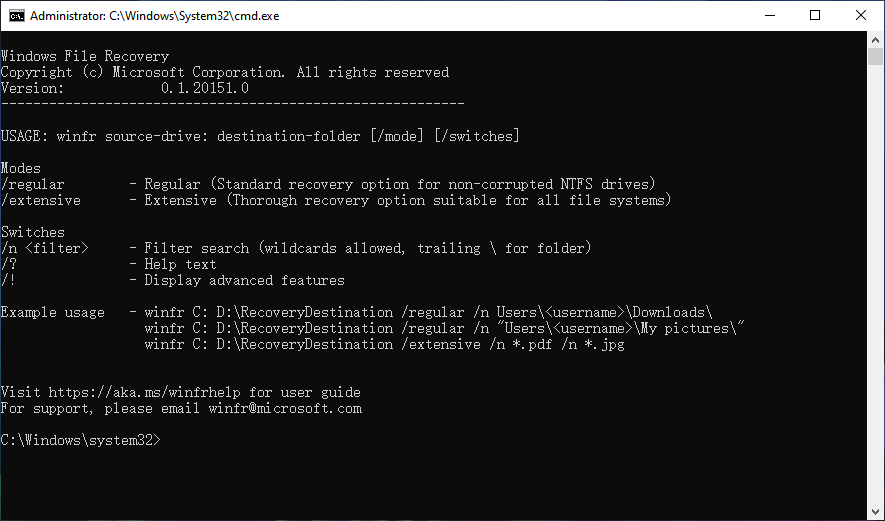
Microsoft itself has a data recovery tool, called Windows File Recovery. It is a command-line software utility that uses the winfr command to recover deleted files from a local hard disk drive (HDD), USB flash drive, or memory card. Besides, it can also work to some extent with solid-state drives (SSD).
However, this data recovery utility is not preinstalled on the system. If you want to try it, go to Microsoft Store to download and install it on your device. This tool is compatible with only Windows 10 version 2004 and newer.
Windows File Recovery has the following data recovery modes:
- Default mode: Recover recently deleted files from an NTFS drive.
- Segment mode: Recover files deleted a while ago from an NTFS drive; Recover files after formatting an NTFS drive; Recover data from a corrupted NTFS drive.
- Signature mode: In addition to solving the problem of data recovery in segment mode, it can also recover supported types of files from a FAT or exFAT drive.
We have written a guide on how to use Windows File Recovery to recover deleted files.
Windows File Recovery cons and pros:
| Pros | Cons |
| 1. Free to use. 2. Official Microsoft tool, very safe. 3. Supports multiple file systems. 4. Supports recovering various types of files. | 1. Only works on Windows 10 version 2004 and above. 2. Requires memorizing command line syntax, which is not easy for average users. 3. No preview option. |
Here is a video guide:
#2. EaseUS Data Recovery Wizard – Comprehensive Recovery, Simple to Use
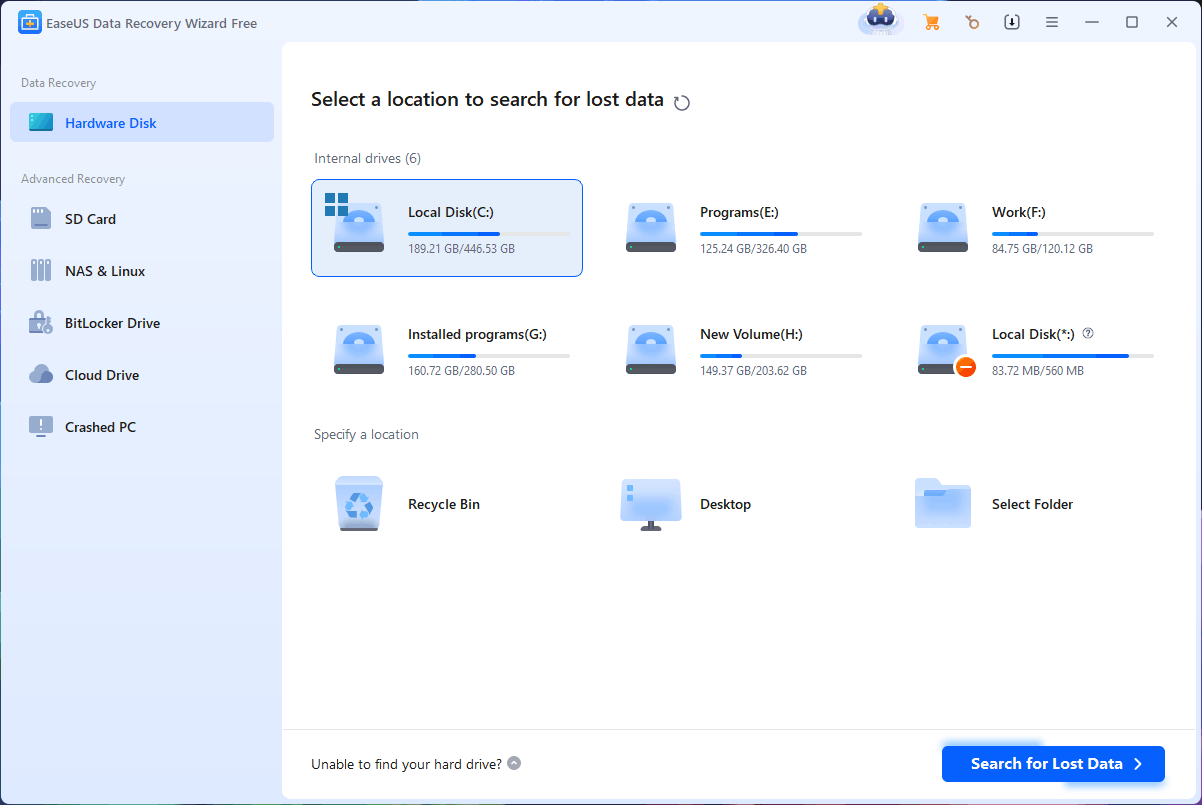
EaseUS Data Recovery Wizard is a powerful file recovery tool that was designed and developed by EaseUS. This data recovery software has almost 20 years of history. Therefore, it is trustworthy.
EaseUS Data Recovery Wizard features recovering documents, pictures, videos, emails, and other files from accidental deletions, formatting errors, system crashes, drive inaccessibility, virus attacks, unexpected power off, and more.
It has a user-friendly interface, which simplifies the data recovery process. You can complete the entire data recovery process in just a few simple steps: select the drive to scan and choose the needed files to recover.
This undelete software can recover data from almost all data storage devices except for CDs and DVDs. Besides, its advanced recovery also supports recovering data from NAS and Linux, and Cloud drives like OneDrive and Dropbox.
This EaseUS data recovery software has other useful features like searching files and folders by name, filtering files by special elements, loading the last scan session, etc. You can learn more information about EaseUS Data Recovery Wizard from its official site.
EaseUS Data Recovery Wizard cons and pros:
| Pros | Cons |
| 1. Available for both Windows and Mac users. 2. Supports file preview before recovery. 3. Supports advanced scan. 4. Supports loading the last scan session. 5. Supports corrupted videos, photos, and files repair. | 1. The free version has a recovery limit. 2. Doesn’t support recovering data from CDs/DVDs. |
#3. Wondershare Recoverit – Quick Recovery with Powerful Scanning
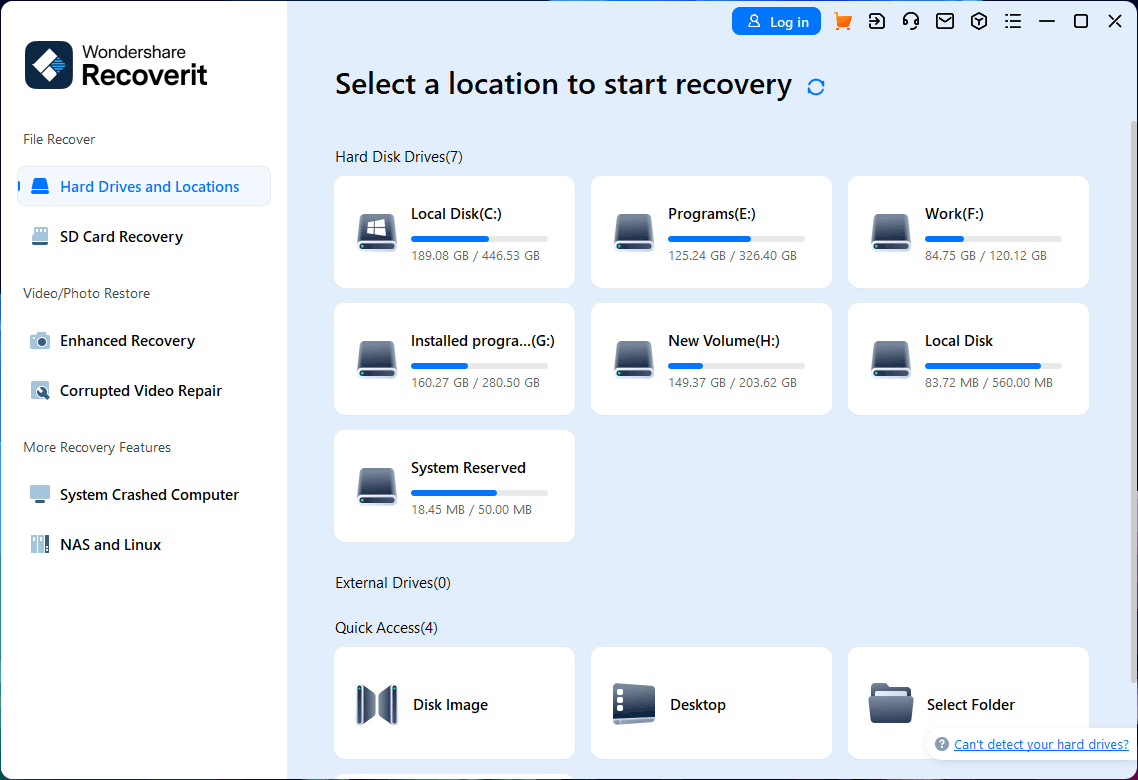
Wondershare Recoverit is professional data recovery software developed by Wondershare Technology. This data recovery tool also has both Windows and Mac versions.
Wondershare Recoverit for Windows Version 1.0.0 was released on September 10th, 2003 and Wondershare Recoverit for Mac Version 1.0.0 was released on December 24th, 2010, which means that this software has a long history. In addition, it maintains a high update frequency, suggesting that its data recovery function is relatively complete, which is indeed the case.
Wondershare Recoverit stands out due to its comprehensive recovery options. For example, it can recover lost and deleted files from various storage devices, has the ability to perform a deep scan and recovery by using advanced scanning algorithms, and supports recovering 1000+ file formats. In addition, the corrupted video repair feature is also available in this tool.
On the other hand, this data recovery software has fast scanning and data recovery capabilities. It will first perform a quick scan and then a deep scan to find more data. If the quick scan can find the data you want, you can directly recover it without wasting a lot of time on data scanning.
Wondershare Recoverit pros and cons:
| Pros | Cons |
| 1. Available for both Windows and Mac users. 2. Supports file preview before recovery. 3. Supports both quick and deep scans. 4. Supports repairing corrupted videos. | 1. The free version only supports scanning drives, not recovering data. 2. Doesn’t support recovering data from CDs/DVDs. |
#4. Recuva – Effective Tool for Undeleting Files

As professional data recovery software developed by Piriform Software, Recuva is available on Windows to recover lost or deleted files from various types of storage media. This file recovery utility was first released in 2007, and since then, it has become a popular solution for individuals to perform effective data recovery.
Recuva can recover files from hard drives, USB drives, memory cards, and even damaged or newly formatted devices. One of Recuva’s strengths is its scanning efficiency, offering both quick scans for recently deleted files and more intensive deep scans for files that are harder to recover. This ensures that you can save time if the needed files are easily retrievable, while still providing a deep scan to find more files when necessary.
Recuva pros and cons:
| Pros | Cons |
| 1. The software is lightweight, not taking much disk space. 2. Supports both quick and deep scans. 3. Supports securely deleting files. | 1. Only works on Windows. 2. Limited features in the free edition. 3. Doesn’t support recovering data from CDs/DVDs. |
#5. Disk Drill – Deep Scanning for Maximum File Recovery
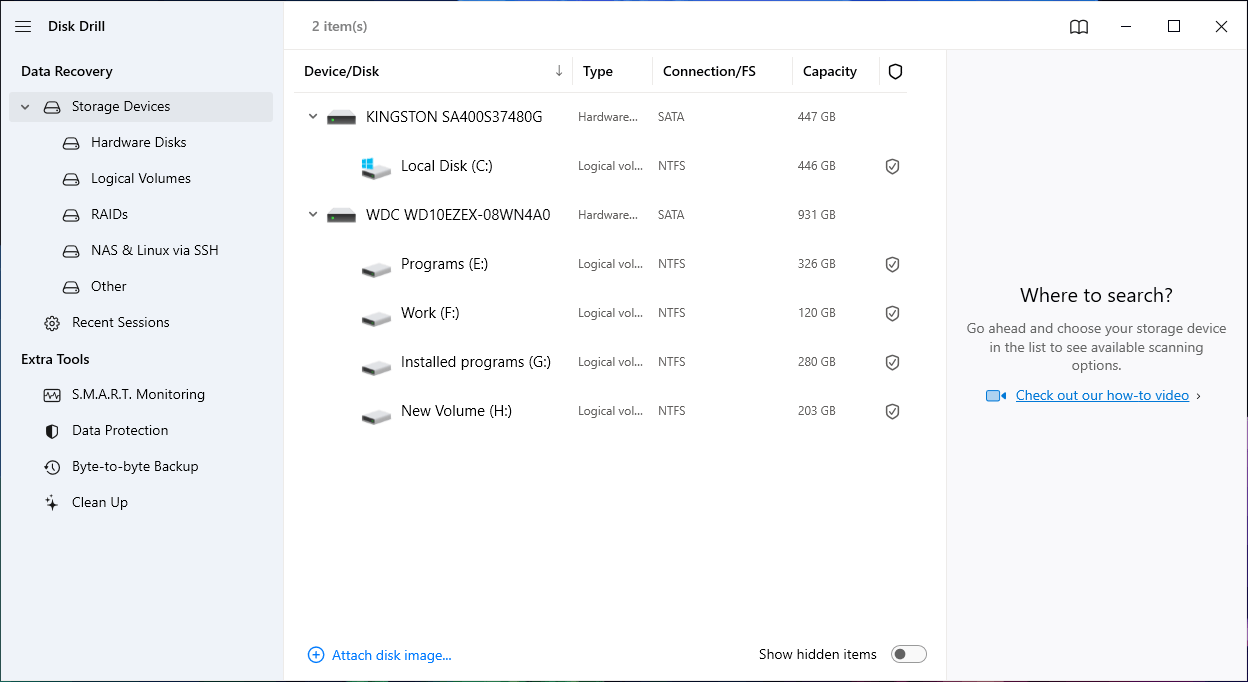
Disk Drill is one of the most well-known data recovery programs developed by CleverFiles. It has both Windows and Mac versions. Disk Drill is developed with an intuitive interface and a comprehensive feature set. Both beginners and advanced users will like this design.
This data recovery software can recover data from almost any storage device, including hard drives, USB drives, SD cards, RAID arrays, and even Android and iOS devices.
Deep scan is an outstanding feature in Disk Drill, allowing you to recover lost and deleted files that have been deleted recently or a long time ago.
In addition to data recovery, Disk Drill also provides features like S.M.A.R.T. monitoring, data protection, byte-to-byte backup, and disk cleanup, making it more than just a data recovery tool. However, you can only recover 500MB of data with the free edition of this software.
Disk Drill pros and cons:
| Pros | Cons |
| 1. Available on both Windows and Mac. 2. Supports file preview before recovery. 3. Supports a deep scan. 4. Supports automatically save the last scan session. 5. Includes additional tools for disk management. | 1. The free version has a recovery limit. 2. Doesn’t support recovering data from CDs/DVDs. |
#6. MiniTool Power Data Recovery – Reliable and Easy-to-Use Data Recovery
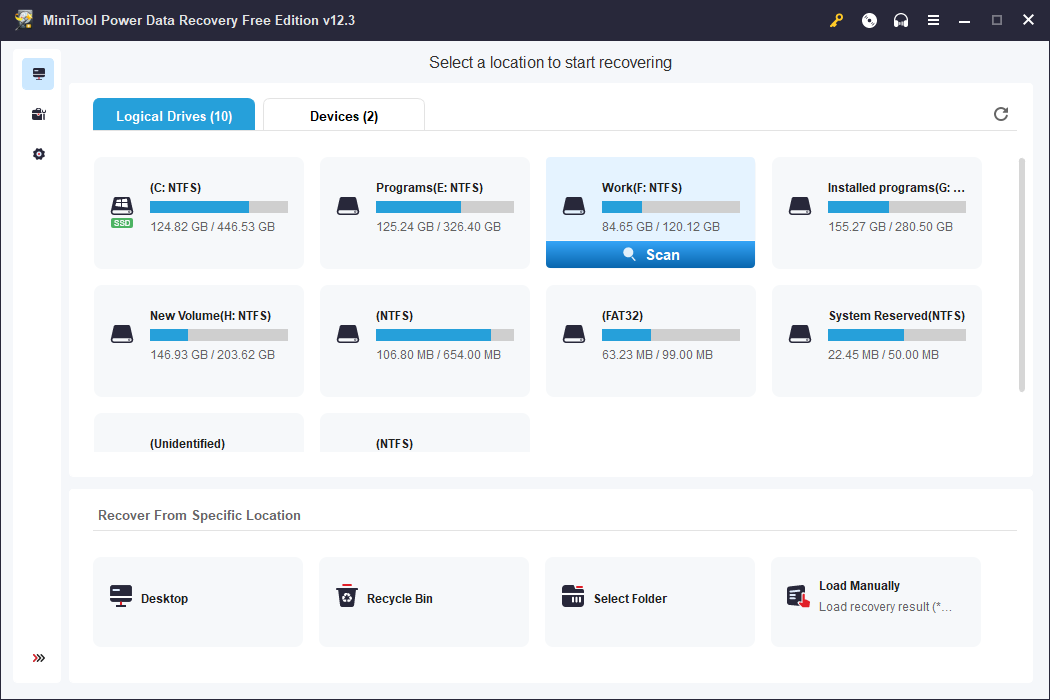
MiniTool Power Data Recovery is a free data recovery tool designed for Windows users. It’s known for its easy-to-use interface and ability to recover lost or deleted files from various storage devices like hard drives, USB drives, memory cards, and CDs/DVDs.
This software is a good choice if you are looking for a simple yet effective solution for data recovery. Every ordinary user can easily use this data restore tool to find and recover their desired files from different storage drives like HDDs, SSDs, USB flash drives, SD cards, memory cards, CDs, and DVDs.
MiniTool Power Data Recovery uses the deep scan mode to help you find and recover as many files as possible. Additionally, you can preview videos, audio files, images, and documents on the scan results interface before recovery to ensure you are recovering the correct data.
However, with MiniTool Power Data Recovery Free, you can only recover no more than 1GB of files. If you want to recover more files, you need to upgrade to a full edition.
MiniTool Power Data Recovery pros and cons:
| Pros | Cons |
| 1. Supports file preview before recovery. 2. Supports a deep scan. 3. Supports file preview before recovery. 4. Supports exporting the scan results. 5. Supports recovering data from CDs/DVDs. | 1. The free version only recovers up to 1GB of data. 2. Only works on Windows. 3. Some features are only available in the paid version. |
#7. R-Studio – Advanced Data Recovery for Professionals
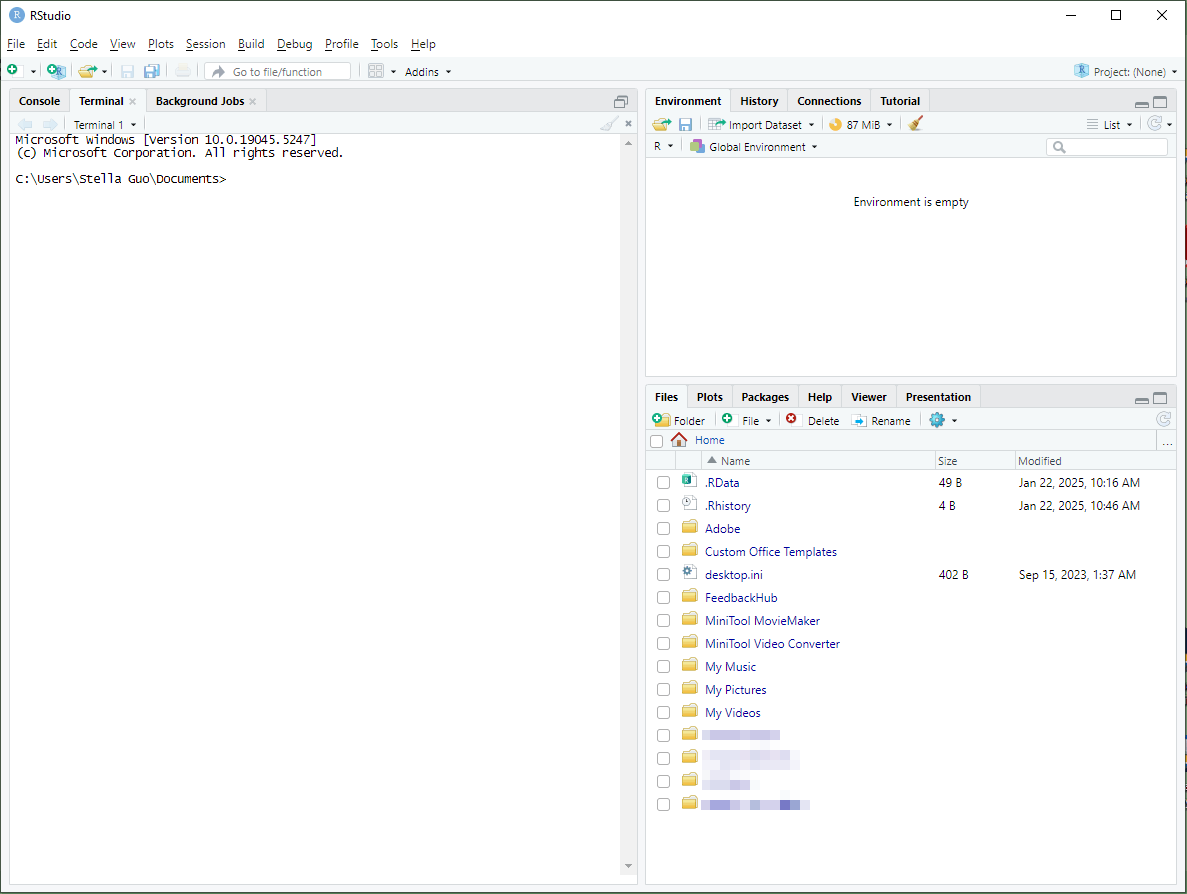
R-Studio is a professional data recovery tool, which is welcomed by numerous advanced users, particularly those with technical expertise. Developed by R-Tools Technology, this file recovery tool can work on Windows, macOS, and Linux, making it one of the most versatile tools in the world.
R-Studio excels at recovering missing files from different file systems, including FAT, NTFS, ReFS, HFS+, Ext2/3/4, and more. It’s especially effective for recovering data from corrupted or formatted drives and even RAID arrays. In addition, the software contains some advanced features, such as hex editors and disk imaging, which are ideal for IT professionals or users who need powerful recovery tools.
However, R-Studio is not the most user-friendly option for beginners. Its interface can be overwhelming for those unfamiliar with technical terms, and the free version has limited recovery capabilities.
R-Studio pros and cons:
| Pros | Cons |
| 1. A good choice for professional users. 2. Works across platforms, including Windows, Mac, and Linux. 3. Capable of recovering data from RAID arrays. 4. Effective at recovering data from formatted or corrupted drives. | 1. Not beginner-friendly. 2. Free version has limited recovery. |
#8. Stellar Data Recovery – All-in-One Recovery Solution
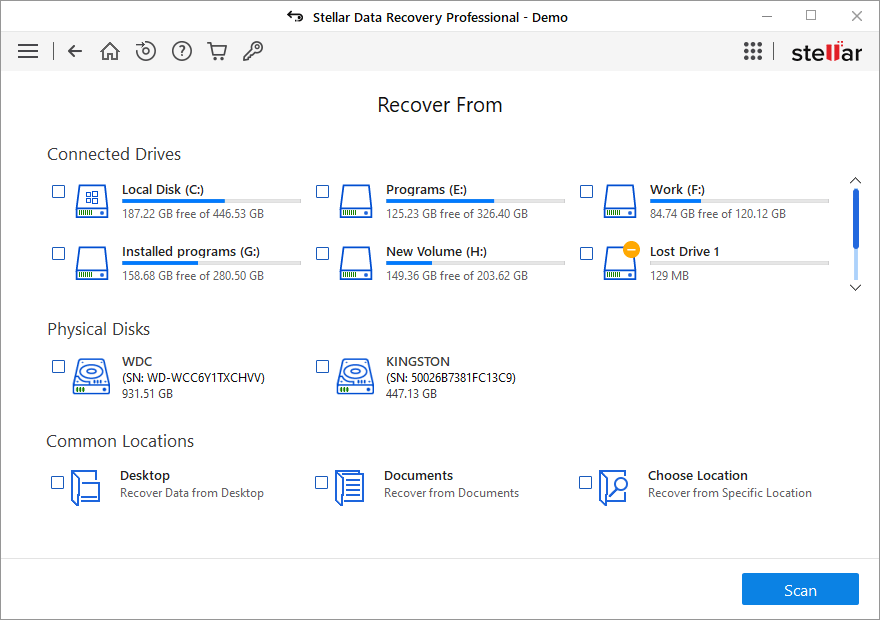
Stellar Data Recovery is another popular data recovery tool for beginners because of its simplicity and effectiveness. It has both Windows and Mac versions and allows you to recover lost or deleted files from hard drives, SSDs, USB drives, and memory cards.
One of Stellar’s standout features is its ability to perform a quick scan and deep scan separately. By default, this software will run a quick scan to find files that were deleted recently. If you can’t find the needed files after a quick scan, you can then perform a deep scan, which will consume a longer scanning time.
However, the free version of Stellar Data Recovery only allows you to recover up to 1GB of data, and some of its advanced features like encrypted drive recovery are only available in the paid version.
Stellar Data Recovery pros and cons:
| Pros | Cons |
| 1. A good choice for beginners. 2. Has both Windows and Mac versions. 3. Supports recovering data from CDs/DVDs. | 1. The free version only recovers up to 1GB of data. 2. Some features are only available in the paid version. |
#9. DiskGenius – Multifunctional Data Recovery Tool
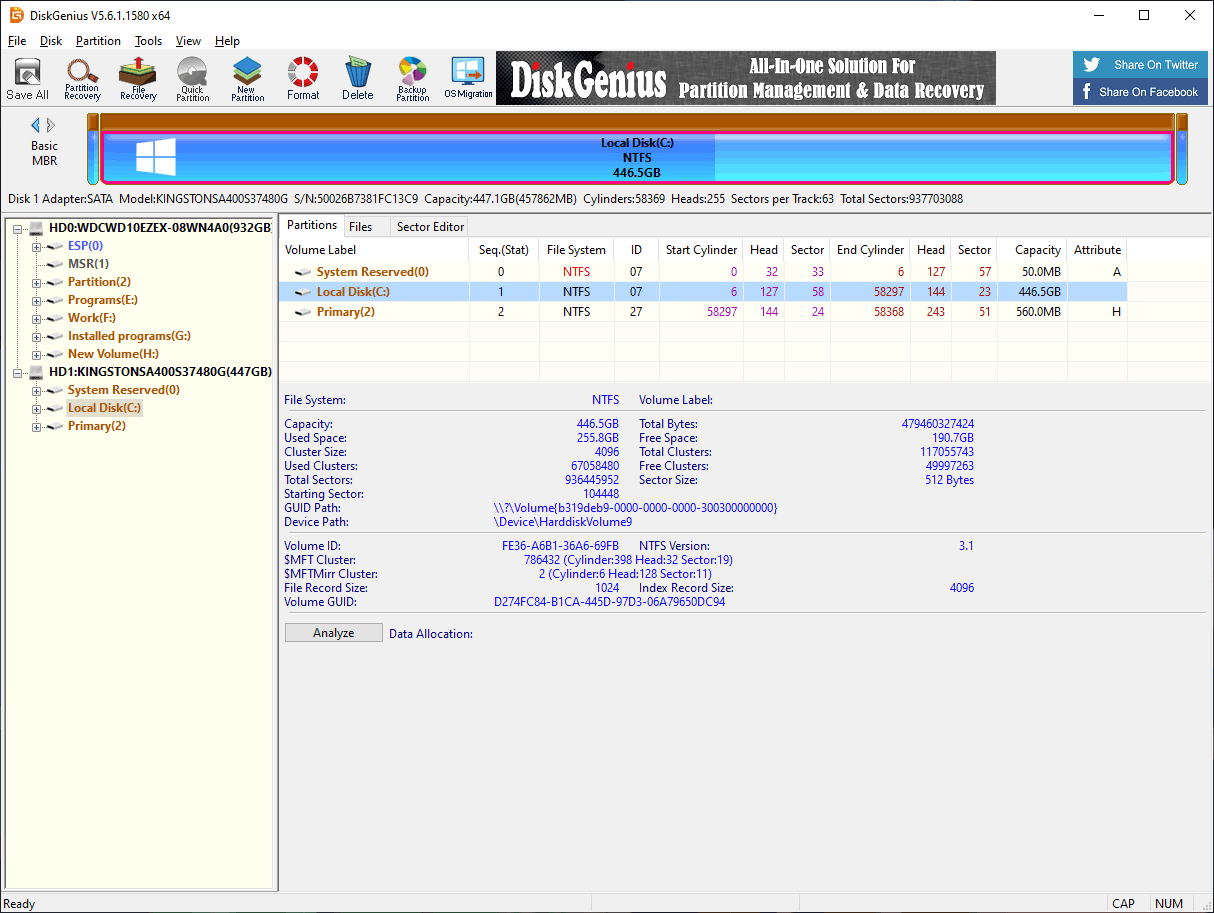
DiskGenius is a comprehensive data recovery tool, which only works on Windows. However, this software doesn’t only act as a data restore tool. It also provides a range of disk management utilities, including partition management, disk cloning, and backup.
This tool can recover data from a variety of storage devices, include but is not limited to hard drives, USB drives, and memory cards. Besides, it can recover files from corrupted, formatted, or inaccessible partitions. DiskGenius also supports both quick and deep scans to ensure that you get the best data recovery effect.
DiskGenius stands out for its extra advanced features. For instance, you can use it to manage partitions and clone disks, making it a multifunctional tool for both data recovery and disk management tasks. However, with the free edition of this data restore tool, you can only recover limited data.
DiskGenius pros and cons:
| Pros | Cons |
| 1. A comprehensive recovery and disk management tool. 2. Includes additional tools for disk partitioning and cloning. | 1. Free version has data recovery limits. |
#10. AnyRecover – Recover Any Data, Anytime, Anywhere
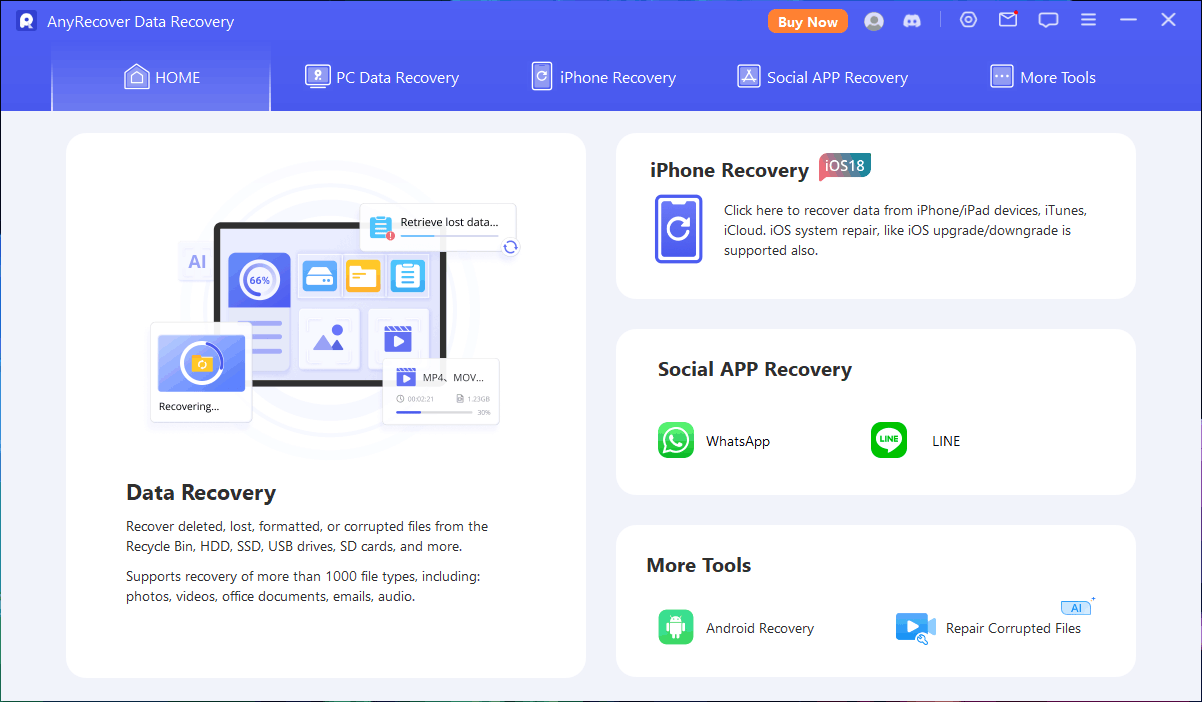
AnyRecover works like other data recovery software to recover 1000+ types of files from a wide range of storage devices, including hard drives, USB drives, SD cards, and even external devices like cameras and music players on Windows, Mac, iPhone, and Android with a few simple clicks.
However, this tool’s functions are not limited to data recovery. It also has other useful and attractive features. For example, you can use it to perform video repair, photo repair, and file repair. Its Photo Clarity feature uses advanced AI algorithms to help you enhance images and optimize portraits.
AnyRecover free version only allows you to recover no more than 200MB of data, which may not be sufficient for more extensive recovery tasks.
AnyRecover pros and cons:
| Pros | Cons |
| 1. A comprehensive file recovery and repair tool. 2. Works across platforms, including Windows, Mac, iPhone, and Android. | 1. Free version has data recovery limits. |
#11. GParted – Partition Management with Data Rescue Capabilities
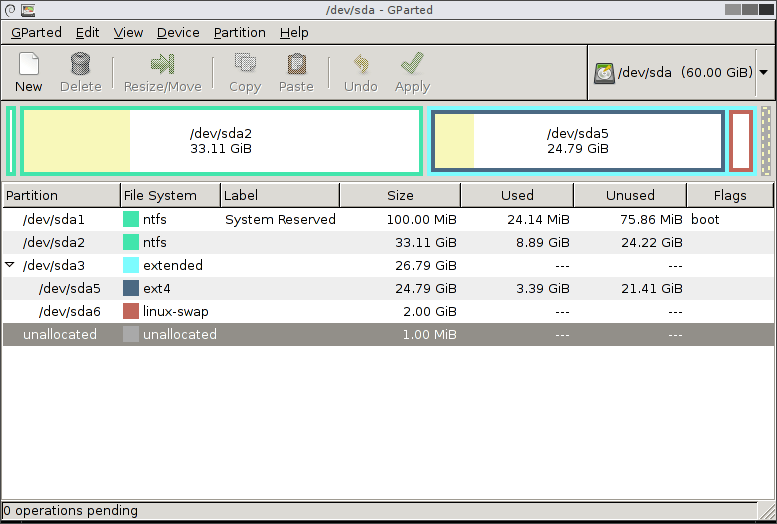
GParted (GNOME Partition Editor) is actually an open-source partition manager, which has a partition recovery feature embedded. This tool is primarily used for partition management, but when necessary, you can use it to recover lost partitions and restore access to lost data.
The best way to make full use of all features in the GParted application is by using the GParted Live bootable image. With GParted Live, you can use GParted on GNU/Linux and other operating systems, such as Windows or Mac OS X.
While GParted is not a dedicated file recovery tool. If you are looking for ways to restore data from lost or damaged partitions, you can try it. GParted supports various file systems, including NTFS, FAT32, ext2/ext3/ext4, and more, making it a versatile option for managing disks.
However, GParted is not as user-friendly as some of the other data recovery tools on this list because you need to have some technical skills to operate it. So, it is a choice for users who have experience with partition management and data recovery.
GParted pros and cons:
| Pros | Cons |
| 1. Open-source and free to use. 2. Effective at restoring lost partitions. | 1. Not a dedicated data recovery tool. 2. Requires some technical knowledge. |
#12. Wise Data Recovery – Fast, Lightweight, and Free Recovery
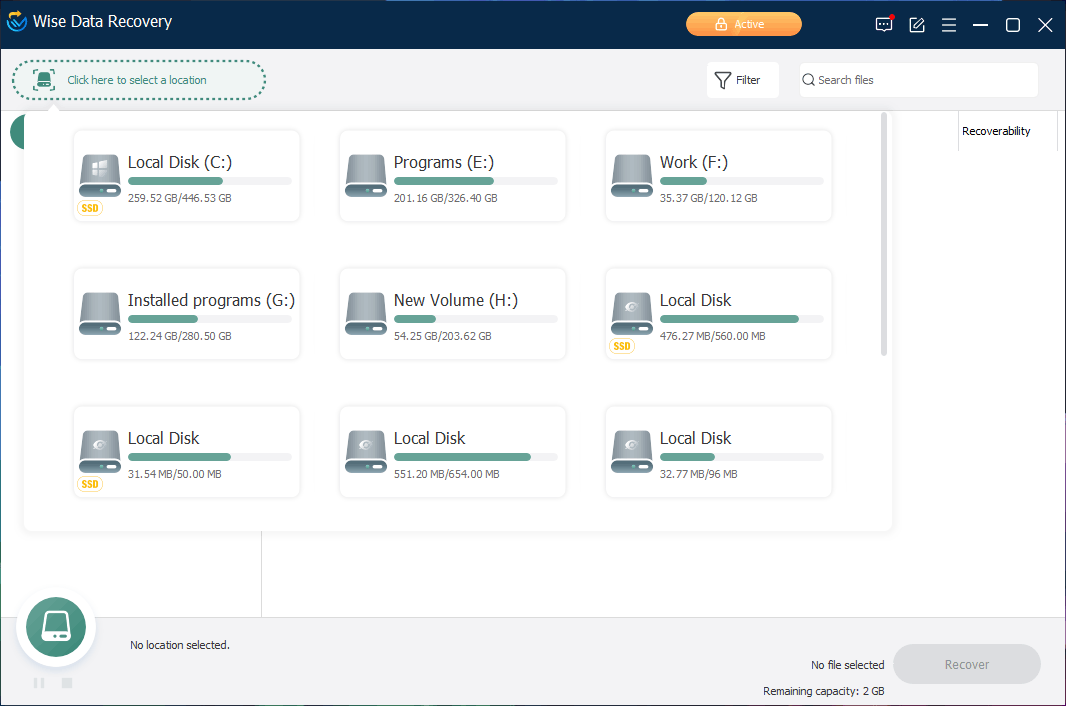
Wise Data Recovery is famous due to it is a lightweight, easy-to-use data restore tool for recovering lost or deleted files from storage drives like hard drives, USB drives, memory cards, and other storage devices. Like a few other data recovery software in this list, it only works on Windows. However, it is not a big problem. If you are running a Mac computer, you can just try a Mac data recovery software. This data recovery can perform both quick and deep scans to help you locate recoverable files on your drive.
The interface of Wise Data Recovery is simple and intuitive. You can use it to scan the target drive and recover the needed files in just a few steps. It supports the recovery of various file types, such as documents, images, videos, and emails. Before the recovery, you can also preview files for confirmation.
Wise Data Recovery pros and cons:
| Pros | Cons |
| 1. Lightweight and easy to use. 2. Preview files before recovery. | 1. Free version has data recovery limits. 2. Lacks advanced recovery features. |
#13. PhotoRec – Specialized in Photo and Media File Recovery
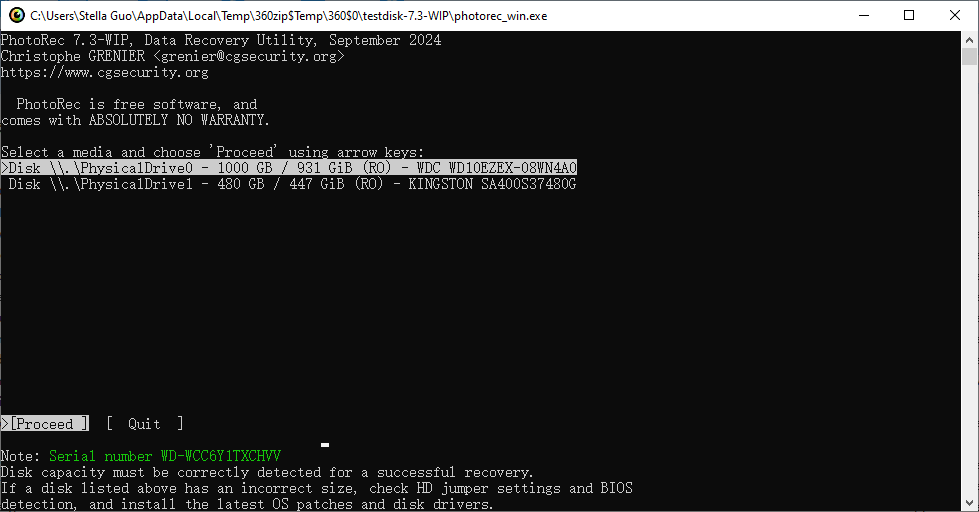
PhotoRec is an open-source data recovery utility designed to recover lost files from devices like hard drives, USB drives, memory cards, and even digital cameras. You can use this tool across different platforms like Windows, macOS, and Linux users. It is particularly effective at recovering media files such as photos, videos, and audio files for you.
PhotoRec can recover files regardless of the file system in use, making it a versatile tool for data recovery. The software works by bypassing the file system to locate and recover files, so it is a good choice when the file system is damaged or corrupted.
However, PhotoRec is a command-line tool. Thus, it may be difficult to operate if you are unfamiliar with command-line interfaces. Despite this, it is highly effective for photo and media file recovery and is completely free to use.
PhotoRec pros and cons:
| Pros | Cons |
| 1. Open-source and free to use. 2. Effective at recovering media files. 3. Supports multiple operating systems. | 1. Command-line interface may be difficult for beginners. 2. No preview option. |
#14. CDRoller – Recover Data from CDs and DVDs
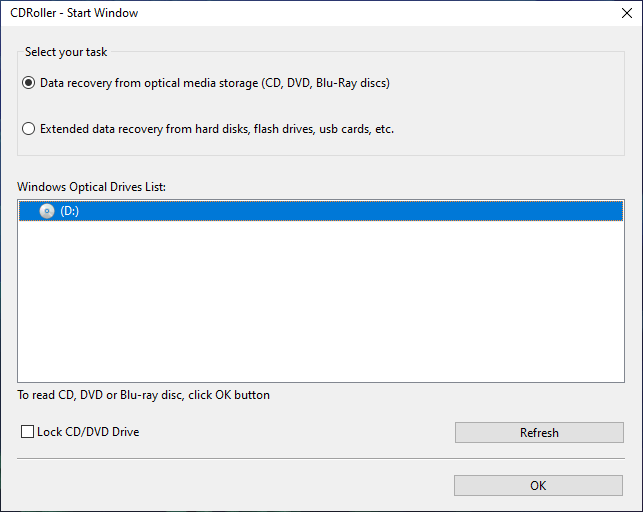
CDRoller is a specialized data recovery tool for recovering lost and deleted files from optical discs like CDs, DVDs, and Blu-ray discs. It is particularly an excellent choice if you need to recover files from damaged or corrupted discs that are no longer accessible normally.
However, the features of this CD/DVD data recovery software are not limited to this. It also supports extended data recovery from hard disks, flash drives, SD cards, and more. Besides, it supports creating disk images and extracting data from them. This is useful when the original media is damaged.
However, CDRoller is a niche tool, and its functionality is mostly limited to optical disc data recovery. In this case, the competitiveness of this software will not be that strong.
CDRoller pros and cons:
| Pros | Cons |
| 1. Specialized tool for recovering data from CDs/DVDs. 2. Supports recovering data from damaged or corrupted discs. 3. Supports creating and extracting data from disk images. | 1. Functions mostly limited to optical disc data recovery. |
Bottom Line
Data loss can happen unexpectedly, but you shouldn’t worry about it so much. With a right data recovery software, it is possible to get your lost data back.
Free data recovery software often offers diverse options for different cases, whether you’re dealing with accidental deletions, formatting errors, virus attacks, or system crashes. From user-friendly solutions like EaseUS Data Recovery Wizard and MiniTool Power Data Recovery to more advanced options like R-Studio and PhotoRec, you can always find a tool for your data loss situation.
Each software has its pros and cons, so choosing the right one depends on the specific type of data loss and your technical knowledge. Regardless of the data restore tool you choose finally, performing a data recovery quickly and carefully can increase the chances of successful recovery.
About The Author

Position: Columnist
Stella is an experienced English editor with eight years of expertise in storage device data recovery. Her articles can help users effectively recover lost and deleted data and rescue files from unbootable PCs, ensuring practical solutions and reliable guidance.
User Comments :