

How to Recover a PowerPoint File (Deleted, Unsaved, or Lost)
In this tutorial, you will learn how to recover PowerPoint file that was unsaved or lost on Windows, even if the file was accidentally closed or deleted.
By Shirley / Published
This page contains comprehensive Windows data recovery solutions for different Windows data loss situations. All you need is the best free data recovery software: MiniTool Power Data Recovery. This file recovery tool can recover all kinds of missing files including pictures, videos, audio, documents, and more.
From recovering permanently deleted files on Windows to rescuing data from unbootable PCs or laptops, and from recovering data after a factory reset to retrieving files deleted by viruses, the guides on this page can quickly and effectively help you get your data back. Check out this page to discover more useful file recovery methods tailored to the data loss situations you are currently facing.
In this tutorial, you will learn how to recover PowerPoint file that was unsaved or lost on Windows, even if the file was accidentally closed or deleted.
This full guide explains where deleted folders go, why they get lost, and how to recover deleted folders on Windows 10/11.

This post introduces causes for ZIP file loss and corruption, methods for ZIP file recovery and repair, and recommendations for file security.

Read this comprehensive guide to learn how to perform Microsoft Visio file recovery and how to repair corrupted Visio files effectively.
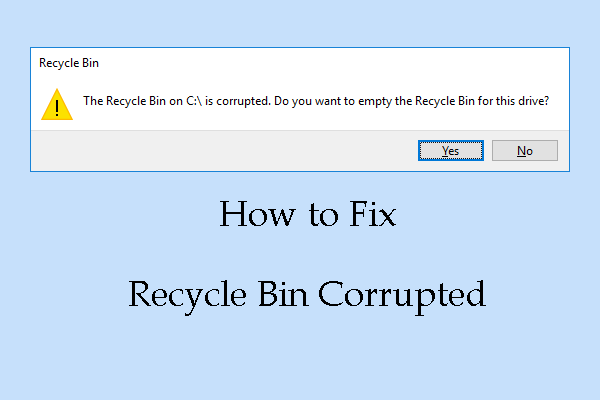
This guide provides immediate data recovery and 6 practical step-by-step methods to fix the Recycle Bin corrupted issue in Windows 11/10.

This comprehensive guide breaks down the root causes of the “Your PC did not start correctly” issue and provides 8 effective solutions to resolve it.

Bad Pool Caller is a Windows BSOD error caused by faulty drivers, corrupted system files, or hardware issues. Learn 8 solutions to fix this stop code without losing data.
This full guide explains why your files are missing after upgrading Windows and offers practical methods to recover files after Windows update.

This guide introduces methods to fix the “could not connect to the network keep your device on” black screen error without losing data.
This comprehensive Windows guide explains how to fix the problem of “PC keeps shutting down without warning” and how to protect your data.